
 You are currently at Monthly:Announcements
October 9, 2026 • LIMac General Meeting • What's New at Apple with Bradley Dichter
October’s meeting will feature a presentation by our own Technical Advisor on what’s new at Apple. Bradley will scour Apple and rumor websites for information on what is actually shipping and what might ship in the very near future. So keep your wallets and credit cards handy and be ready to head to the Apple Store for your next technology purchase.
After he’s caught his breath, Brad will launch into our Q&A session to answer your Apple questions and help you solve your computer problems.
Next we’ll make our monthly announcements, then the meeting will close with Donald’s Member Appreciation Raffle (for paid members).
Your first meeting is FREE. Annual individual membership is $48.00, which covers all immediate members of your family. Please email Donald Hennessy at AboutLIMac@aol.com for details.
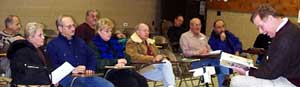 You’re Invited to the MacBasics SIG You’re Invited to the MacBasics SIGIn order to meet the needs of a wider range of members and not put off those with more than beginning skills, we’ve changed not only the name from Beginner SIG, but also the focus of our SIG. We will still cover applications like AppleWorks and simple procedures like setting up your first Mac, file systems and using utilities, but we’ve also matured, as much of Apple’s software and hardware has. So come on down. We'll be where we’ve always been, doing what we’ve always done, but with a new slant and a new name. The MacBasics SIG is led by Geoff Broadhurst and Rick Matteson. The SIG meeting is broken into two sessions. The first is from 7:00 to 7:30PM, during which we will have our own basic level question and answer session. We’ll break for the featured presentation and raffle and come back for the main portion of our SIG meeting from 8:30 to 10 o’clock. Of course before our MacBasics main demonstration we'll have our own novice Q&A session across the hall, while Bradley's dealing with the more complicated problems in the main room. As always come with questions. The MacBasics SIG is not just for beginners, but we do discuss aspects of the Mac that may sometimes be overlooked. There will be a MacBasics SIG meeting this month. The topic has not been announced. |
|
The App SIG, is the latest SIG from LIMac. It's a peer-to-peer group where members share their knowledge and experience with the |
 |